
Quick answer
Amazon KDP recommends a Kindle ebook cover measuring 1,600 × 2,560 pixels. Print covers do not have one universal size because the full wrap depends on the trim size, final page count, paper type, and publishing platform. Audiobook covers for ACX must be square and at least 2,400 × 2,400 pixels.
Specifications last checked against the publishers’ own documentation in July 2026. Update history · One-page spec sheet · Free for educators to reuse
Free author tool · Paperback only
KDP Paperback Cover Calculator
Enter the final details from your formatted interior to calculate the spine and complete cover-wrap dimensions.
This calculator is for KDP paperbacks. Hardcover case wraps use different hinge and wrap measurements, so they require Amazon’s official hardcover template.
Your calculated wrap
6 × 9 in · 200 pages
Planning calculation: This tool uses Amazon KDP’s published paperback spine factors and includes the 0.125-inch outer bleed. Always generate Amazon’s official template before exporting the final cover PDF.
Using the wrong book cover dimensions can lead to upload errors, rejected files, blurry artwork, white trim edges, or an off-center spine. The safest approach is to finalize the interior first and generate a separate cover template for each printer and format.
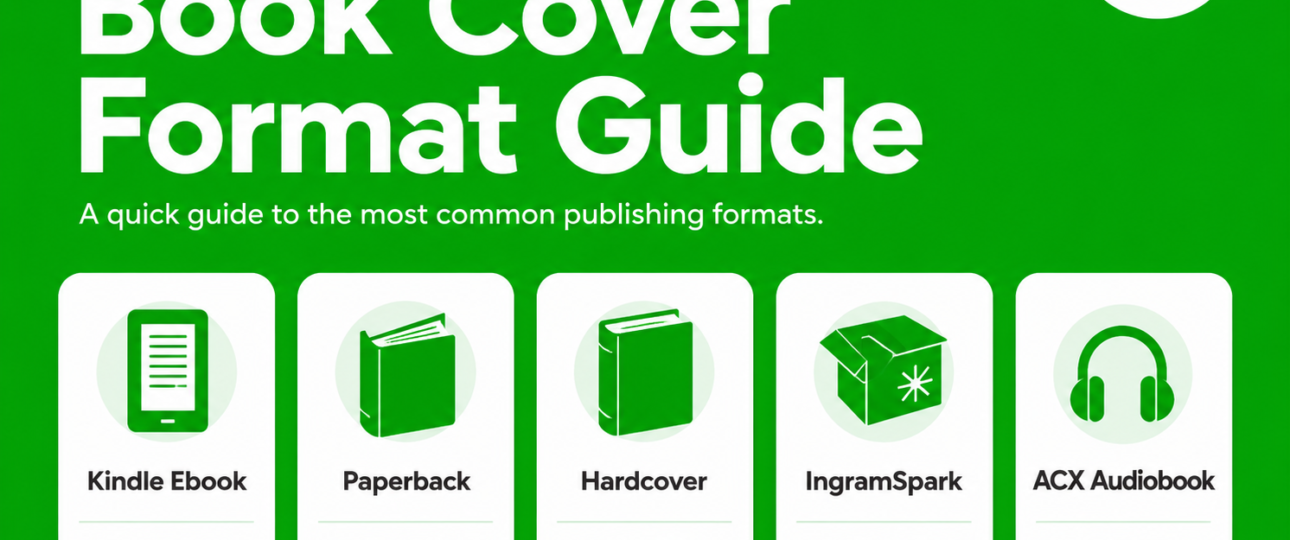
This guide explains the current cover requirements for Kindle ebooks, KDP paperbacks and hardcovers, IngramSpark print books, Apple Books, Google Play Books, and ACX audiobooks.
Kindle Ebook Cover Size for Amazon KDP
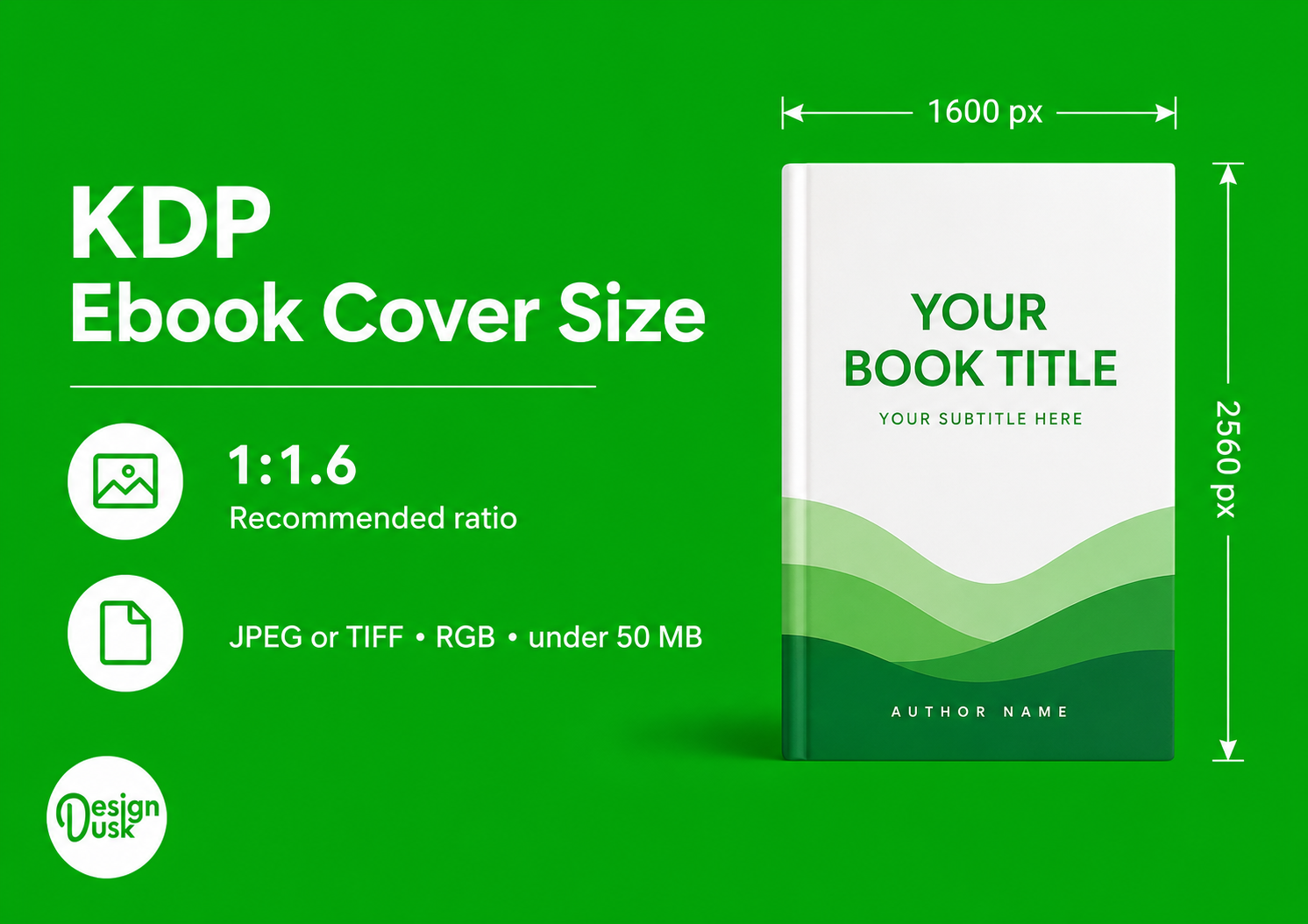
Amazon KDP’s recommended ebook cover size is:
1,600 pixels wide × 2,560 pixels high
That creates Amazon’s preferred 1.6:1 height-to-width ratio.
KDP’s current marketing-cover requirements are:
- Optimal size: 1,600 × 2,560 pixels
- Minimum size: 625 × 1,000 pixels
- Maximum dimensions: 10,000 pixels in height and width
- File format: JPEG or TIFF
- Color mode: RGB
- Resolution: 72 DPI
- Maximum file size: Less than 50 MB
For ebook covers, pixel dimensions matter more than the DPI number alone. Do not enlarge a small cover merely to reach the recommended dimensions, because stretching the image can make the artwork and typography look soft or pixelated.
See Amazon’s official Kindle ebook cover-image requirements.
Apple Books and Google Play Cover Requirements
A high-quality 1,600 × 2,560-pixel JPEG made for KDP will also satisfy the basic cover dimensions of Apple Books and Google Play Books.
Apple Books
Apple requires the external book cover, also called the marketing image, to:
- Use RGB color mode
- Be at least 1,400 pixels along the shorter axis
- Use a high-quality JPEG or PNG file
- Avoid enlarging a smaller, low-resolution image to meet the minimum
Apple also says that 300 DPI is a useful rule of thumb for best results. See Apple’s official Book Cover Art requirements.
Google Play Books
Google Play Books accepts cover files in JPEG, PNG, TIFF, or PDF format. Its current size limits are:
- Minimum resolution: 640 pixels
- Maximum height or width: 7,200 pixels
- Maximum file size: Less than 2 GB
See Google’s official Book file guidelines.
Paperback Cover Size for Amazon KDP
A KDP paperback cover is uploaded as one complete wraparound PDF containing:
Back cover + spine + front cover
The finished paperback cover size depends on the book’s trim size, paper type, and final page count.
KDP Paperback Cover Formula
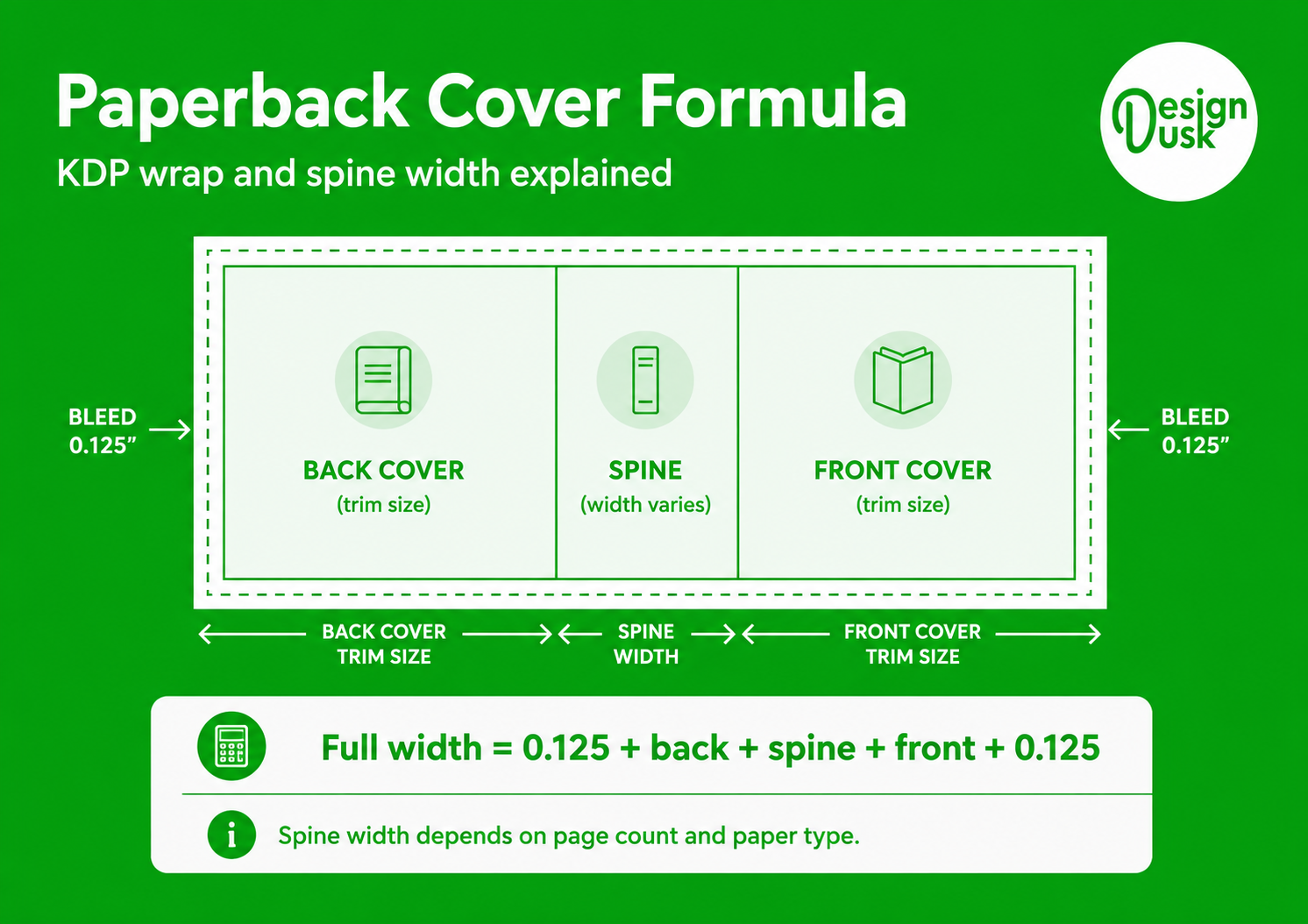
Full cover width = 0.125″ bleed + back-cover width + spine width + front-cover width + 0.125″ bleed
Full cover height = 0.125″ bleed + trim height + 0.125″ bleed
The background image or color must extend through the bleed area so that no white edge appears after trimming.
Amazon requires the cover to be submitted as a single PDF containing the back, spine, and front. Its official KDP paperback-cover requirements explain the bleed, safe areas, spine, and file setup.
Common Paperback Trim Sizes
Popular KDP trim sizes include:
- 5 × 8 inches — compact novels and poetry
- 5.25 × 8 inches — fiction and literary titles
- 5.5 × 8.5 inches — trade-paperback feel
- 6 × 9 inches — the most common US book trim size
- 7 × 10 inches — manuals, workbooks, and larger nonfiction
- 8 × 10 inches — illustrated books and workbooks
- 8.5 × 11 inches — textbooks, cookbooks, and activity books
Amazon identifies 6 × 9 inches as the most common trim size for books in the United States. Its trim-size, bleed, and margin guide lists the available sizes and page-count limits.
KDP Paperback Spine-Width Calculator
For KDP paperbacks, multiply the final page count by the correct paper factor.
Black-and-White Interiors
- White paper: Page count × 0.002252″
- Cream paper: Page count × 0.0025″
Color Interiors
- Standard color: Page count × 0.002252″
- Premium color: Page count × 0.002347″
These factors are specific to KDP paperbacks. Another printer may use a different paper stock and produce a slightly different spine width for the same page count.
One thing to keep in mind: the page count that drives this calculation comes from the finished interior layout, not the Word document. If your book is not formatted yet, our book formatting service prepares the interior and confirms the exact page count before you size the cover.
Working out a budget as well as dimensions? Our guide to what a book cover costs in 2026 breaks down real prices for premade, custom and AI-assisted covers.
Worked Example: 300-Page, 6 × 9-Inch Paperback
For a 300-page novel printed on cream paper:
Spine width: 300 × 0.0025″ = 0.75″
Full cover width: 0.125″ + 6″ + 0.75″ + 6″ + 0.125″ = 13″
Full cover height: 0.125″ + 9″ + 0.125″ = 9.25″
The complete cover should therefore measure 13 × 9.25 inches. At 300 PPI, that equals 3,900 × 2,775 pixels.
The calculation is useful for planning, but the safest option is to generate the exact template with Amazon’s KDP Print Cover Calculator. It creates a PDF or PNG template based on the binding, trim size, paper, page count, and reading direction.
KDP Spine Text, Bleed and Safe Areas
KDP allows spine text when a paperback has at least 79 pages. If the book is thinner, leave the spine without text.
For books that can carry spine text:
- Leave at least 0.0625 inches between the spine text and each spine edge
- Keep front- and back-cover text at least 0.125 inches inside the trim lines
- Extend background images and colors 0.125 inches beyond the trim line
- Use images at a minimum of 300 DPI for print
- Prepare print images in CMYK for more predictable results
- Embed fonts and flatten transparencies
- Remove crop marks, color bars, template instructions, and file security
A larger safety margin, such as 0.25 inches, may be visually safer, but KDP’s stated minimum for front- and back-cover text is 0.125 inches.
Hardcover Cover Dimensions for Amazon KDP
A KDP hardcover is not simply a paperback file with additional bleed. Hardcover covers include a case wrap, hinge areas, and different safe zones.
KDP’s current hardcover requirements include:
- Cover artwork extends 0.51 inches or 15 mm beyond the visible front and back cover edges for the case wrap
- A 0.4-inch or 10 mm hinge area sits between the spine and the front and back safe areas
- Important text and images must remain clear of the wrap, margins, and hinge areas
- The final cover is uploaded as one PDF containing the back cover, spine, and front cover
Hardcover measurements vary according to trim size, paper, and page count. Generate the file only after the interior is final, using the KDP Print Cover Calculator.
See Amazon’s official KDP hardcover-cover requirements.
IngramSpark Cover Requirements
IngramSpark uses the same general wraparound principle as KDP, but its templates, paper stocks, spine calculations, and file requirements are different.
Do not upload a KDP print cover to IngramSpark without rebuilding it from an IngramSpark template. Even when the trim size and page count are identical, the spine and safe zones may differ.
IngramSpark’s current print-cover requirements include:
- Use the exact template created for the book’s ISBN, binding, trim size, paper, color option, and page count
- Supply the cover as a PDF placed on the IngramSpark cover template
- Prepare cover images at 300 PPI
- Use CMYK color
- Add 0.125 inches or 3 mm of bleed on all sides
- Keep important text and artwork within the template’s safety area
- Embed all fonts
- Convert spot colors to CMYK
- Submit a file compliant with PDF/X-1a:2001 or PDF/X-3:2002
IngramSpark does not allow spine text on perfect-bound books with fewer than 48 pages.
Request the exact file through IngramSpark’s Cover Template Generator, and review the current IngramSpark File Creation Guide before exporting the final PDF.
Audiobook Cover Size for ACX and Audible
Audiobook covers are square rather than vertical.
ACX currently requires:
- Minimum dimensions: 2,400 × 2,400 pixels
- Aspect ratio: 1:1 square
- File format: JPG, PNG, or TIF
- Color mode: RGB
- Minimum color depth: 24-bit
- Minimum resolution: 72 DPI
- Maximum file size: 8 MB
- The audiobook title and author name must be clearly shown
Cropping the center of an ebook cover rarely produces the best audiobook cover. The title, subtitle, author name, and main artwork normally need to be repositioned for the square format.
See the official ACX cover-art requirements.
Quick Book-Cover Size Reference
Everything on this page in one table. — it prints on its own, without the rest of the guide.
Book cover size reference · specifications last checked July 2026 · designdusk.com/book-cover-size-guide/
| Format | Current specification |
|---|---|
| Kindle ebook | 1,600 × 2,560 px recommended; JPEG or TIFF; RGB |
| Apple Books | At least 1,400 px on the shorter axis; JPEG or PNG; RGB |
| Google Play ebook | Minimum 640 px; maximum 7,200 px in height or width |
| KDP paperback | One wraparound PDF generated from trim size, paper, and final page count |
| KDP 6 × 9 paperback, 300 cream pages | 13 × 9.25″ including a 0.75″ spine |
| KDP hardcover | Generate the exact case-wrap template using KDP’s calculator |
| IngramSpark print cover | Template-based CMYK PDF; 300 PPI; PDF/X-1a or PDF/X-3 |
| ACX audiobook | At least 2,400 × 2,400 px; JPG, PNG, or TIF; RGB; maximum 8 MB |
Free to print and hand out, with credit to DesignDusk. Always generate the publisher’s own template before exporting a final cover file.
For teachers, librarians and writing centres. This guide and the cover calculator are free to use, free to link, and free to print or reproduce for your students with credit to DesignDusk. There is no sign-up, no email address to hand over, and nothing behind a form. If a specification here goes out of date, or your students need a format we have not covered, tell us and we will fix it.
Common Book-Cover Sizing Mistakes
1Designing the Print Cover Before the Interior Is Final
Every page added or removed changes the spine width. Complete and format the interior before creating the final paperback or hardcover wrap.
2Forgetting the Bleed
Background colors and images must extend beyond the trim lines. Without bleed, the finished book may show thin white edges or fail the printer’s file review.
3Enlarging an Ebook Cover for Print
An ebook cover is normally only the front panel and is prepared for screen display. A print cover needs a back cover, spine, bleed, safe areas, barcode planning, and 300-PPI artwork.
4Reusing the Same Print PDF for KDP and IngramSpark
The underlying design can remain consistent, but the finished print files should be generated separately from each printer’s exact template.
5Placing Text Too Close to a Trim or Fold Line
Keep the title, author name, blurb, logo, and other important elements inside the template’s safe areas. Do not estimate the fold and spine position visually.
6Using the Wrong Color Mode
Digital covers should normally be supplied in RGB. Print covers should be prepared according to the printer’s CMYK requirements and recommendations.
7Adding Spine Text to a Book That Is Too Thin
KDP requires at least 79 pages for paperback spine text. IngramSpark does not permit spine text on perfect-bound books with fewer than 48 pages.
The Easier Way to Prepare Your Cover
A professional cover file involves more than placing a front-cover design into a larger document. The finished wrap must account for the final page count, paper thickness, trim size, bleed, spine position, safe areas, barcode placement, color mode, and the selected publishing platform.
Prefer not to build the wrap yourself? Send us your front-cover design, trim size, page count and paper choice, and we can prepare the complete print-ready wrap for you — ask us about cover setup.
DesignDusk’s exclusive premade book covers are sold to one author and removed from the store after purchase. When a print format is ordered, the paperback or hardcover wrap can be prepared around the author’s final trim size, page count, paper choice, and publishing platform.
Authors who need a completely original design can also explore custom book cover design for ebook, paperback, hardcover, and audiobook formats.
Still preparing the publishing details? Read our guide to ISBNs for self-publishers. Have a question before ordering? Contact DesignDusk.
Frequently Asked Questions
For a Kindle ebook, Amazon recommends 1,600 × 2,560 pixels. Paperbacks and hardcovers do not have one universal size because the dimensions depend on the trim size, paper, binding, and final page count.
Amazon’s preferred height-to-width ratio is 1.6:1. A cover that is 1,600 pixels wide would therefore be 2,560 pixels high.
Multiply the final page count by the factor for the selected paper. For example, a 200-page cream-paper paperback has a spine measuring 200 × 0.0025″ = 0.5″. Use the KDP Print Cover Calculator to generate and confirm the final template before designing the wrap.
You can use the same design, but you should not reuse the same print PDF. Generate separate files using Amazon’s and IngramSpark’s own templates.
KDP permits paperback spine text when the book has at least 79 pages. Leave the spine blank when the page count is lower.
Amazon’s current ebook marketing-cover page lists 72 DPI and gives specific pixel dimensions. For digital covers, meeting the required pixel dimensions and avoiding low-quality enlargement are more important than changing the DPI value alone.
ACX requires a square cover measuring at least 2,400 × 2,400 pixels, supplied as a JPG, PNG, or TIF in RGB and no larger than 8 MB.
Official References
- Amazon KDP ebook cover-image requirements
- Amazon KDP paperback-cover requirements
- Amazon KDP hardcover-cover requirements
- Amazon KDP Print Cover Calculator
- Amazon KDP trim-size, bleed, and margin guide
- IngramSpark Cover Template Generator
- IngramSpark File Creation Guide
- ACX cover-art requirements
- Apple Books cover-art requirements
- Google Play Books file guidelines
Specifications last checked: July 2026, against Amazon KDP, IngramSpark, ACX, Apple Books and Google Play’s own published documentation — the sources linked above.
Update history
- 16 August 2026 — printable one-page spec sheet added; reuse terms for educators published; the cover-setup offer moved below the reference material.
- 4 August 2026 — note added on where the final page count comes from.
- 30 July 2026 — free KDP paperback cover calculator added.
- 22 July 2026 — FAQ section made expandable.
- 12 July 2026 — guide published.